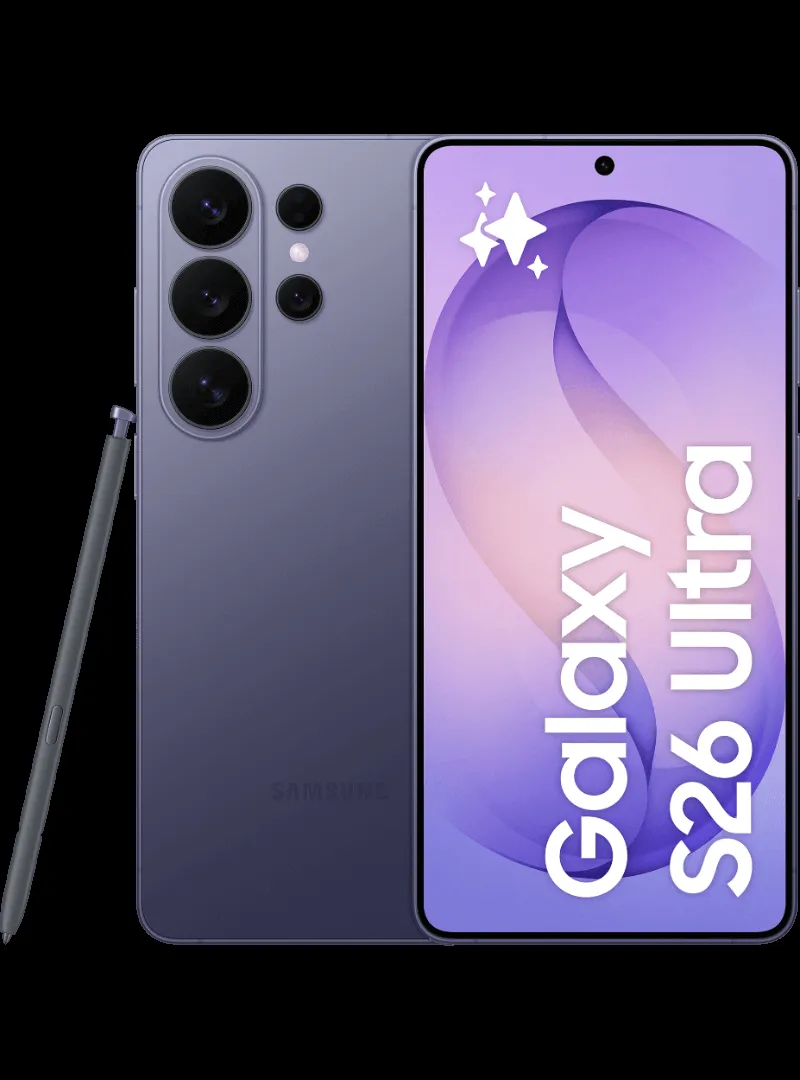
Samsung Galaxy S26 Ultra is Samsung's 2026 flagship — announced 25 February 2026, released 6 March 2026 — and it is already on the mobilelcdled.com finder as Samsung Galaxy S26 Ultra (panel type AMOLED). It is the first phone with a built-in Privacy Display, a faster Snapdragon 8 Elite Gen 5 chip, 60W charging and a new rounded, lighter body — and it is also one of the hardest modern flagships to repair, because the display connector can only be reached from the back of the phone. This guide covers the full phone: display, battery, charging flex, on/off (side key) strip, main board, long flex and body — so a shop or a buyer can check exactly what they are ordering before they pay.
Most-searched keywords this article answers
Galaxy S26 Ultra display price, S26 Ultra LCD replacement, Galaxy S26 Ultra screen replacement, Samsung S26 Ultra original display, S26 Ultra SM-S948 display, S26 Ultra Privacy Display, S26 Ultra battery replacement, S26 Ultra battery EB-BS948ABE, S26 Ultra charging port repair, S26 Ultra charging flex, S26 Ultra power button not working, S26 Ultra on off strip, S26 Ultra side key flex, S26 Ultra motherboard, S26 Ultra back glass replacement, S26 Ultra body parts, S26 Ultra spare parts, S26 Ultra display compatibility, S26 Ultra vs S25 Ultra display, S26 Ultra S Pen.
Display specs
- Model on the finder: Samsung Galaxy S26 Ultra (SM-S948), panel type: AMOLED
- Screen: 6.9-inch Dynamic LTPO AMOLED 2X, flat display with rounded corners
- Resolution: 1440 x 3120 pixels (QHD+, ~500 ppi)
- Refresh rate: 120 Hz adaptive, HDR10+
- Brightness: 2600 nits peak
- Protection: Corning Gorilla Armor 2 with DX anti-reflective coating
- Privacy Display: the world's first built-in Privacy Display on a phone — it narrows the viewing angle so the screen can be hidden from people beside you, for the whole screen or only for chosen apps, notifications and password fields
- Fingerprint: under-display ultrasonic sensor — part of the display assembly, so a display swap must keep the sensor window working
Full mobile specification
Types / variants — which S26 Ultra is which
- Model numbers: SM-S948B, SM-S948B/DS, SM-S948U, SM-S948U1, SM-S948W, SM-S948N, SM-S9480, SM-S948E, SM-S948E/DS — all are the same phone for display and parts purposes, but charging boards and SIM trays differ by region (see the charging section); always confirm the exact model number before ordering a part
- Storage + RAM types: 256 GB + 12 GB RAM, 512 GB + 12 GB RAM, 1 TB + 16 GB RAM
- SIM types: Nano-SIM + Nano-SIM + eSIM + eSIM (max 2 at a time) on the international version; Nano-SIM + eSIM + eSIM (max 2 at a time) on the US version; Nano-SIM + Nano-SIM on the China version
- Colours: Cobalt Violet, Sky Blue, Black, White, Silver Shadow, Pink Gold (Silver Shadow and Pink Gold are online-exclusive colours)
- Launched: announced 25 February 2026, released 6 March 2026
- Software: Android 16 with One UI 8.5 at launch, with up to 7 major Android upgrades promised
Processor details
- Chipset: Qualcomm Snapdragon 8 Elite Gen 5 (3 nm)
- CPU: octa-core — 2x 4.74 GHz Oryon V3 Phoenix L + 6x 3.62 GHz Oryon V3 Phoenix M
- GPU: Adreno 840
- For repair: the processor is soldered on the main board, so a processor fault is a board-level repair, not a part swap
RAM and storage details
- RAM: 12 GB or 16 GB depending on variant (16 GB only on the 1 TB version)
- Storage: 256 GB, 512 GB or 1 TB, UFS 4.x fast storage
- No memory card slot: storage cannot be expanded, so a buyer choosing a used S26 Ultra should check the storage size first, because it cannot be changed later
Charging type details
- Wired charging: 60W Super Fast Charging (PD 3.0) — about 75% charge in 30 minutes with a suitable 60W charger
- Wireless charging: 25W wireless (Qi2.2), plus 4.5W reverse wireless charging for earbuds and watches
- Port: USB Type-C 3.2 with DisplayPort 1.2 and OTG support
- In practice: the jump from the S25 Ultra's 45W to 60W is one of the biggest everyday differences between the two phones, and it is also why the charging board matters — a weak charging board will never deliver full 60W speed even with the right charger
Camera details
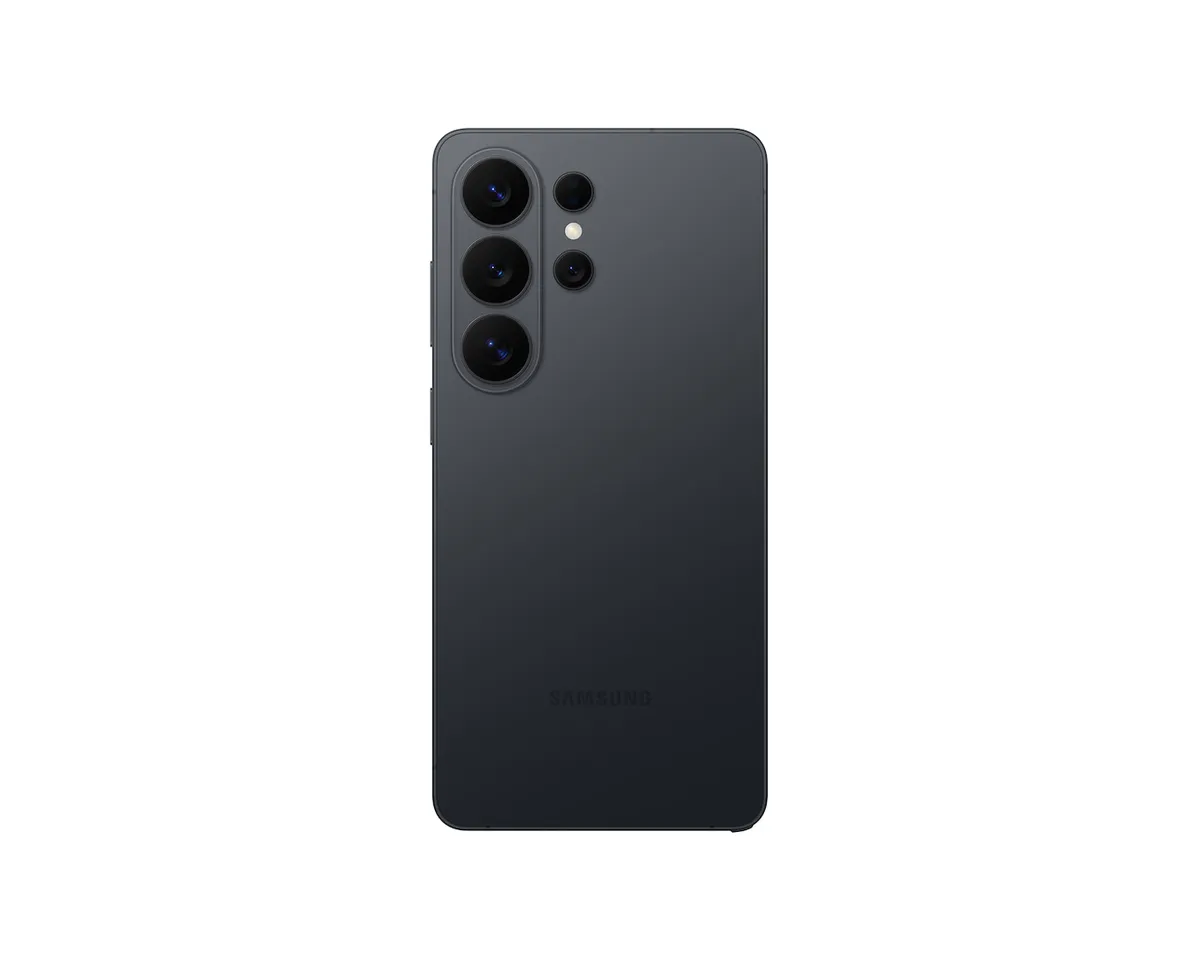
- Rear cameras (quad): 200 MP wide, f/1.4, 23mm, with multi-directional PDAF and OIS; 50 MP periscope telephoto, f/2.9, 111mm, 5x optical zoom, with PDAF and OIS; 50 MP ultra-wide, f/1.9, 120-degree view, with dual pixel PDAF; 10 MP telephoto, f/2.4, 67mm, 3x optical zoom, with PDAF and OIS
- Rear video: 8K at 24/30 fps, 4K at 30/60/120 fps, 1080p at 30/60/120/240 fps, 10-bit HDR, HDR10+, gyro-EIS; Laser AF, Best Face, Horizon Lock, LED flash, panorama
- Front camera: 12 MP wide, f/2.2, 23mm, with dual pixel PDAF; video 4K at 30/60 fps, 1080p at 30 fps
- For repair: the four rear lenses sit on one ambient camera island. The camera modules connect to the main board from underneath, so the board must come out before a camera can be swapped — and the selfie camera is glued in place under the board, which makes it one of the hardest parts on this phone to replace
Sound details
- Loudspeakers: stereo speakers — one speaker at the bottom, one in the earpiece
- 3.5mm headphone jack: none — audio is via USB-C, Bluetooth 6.0 (A2DP, LE) or wireless earbuds
- Other connectivity: Wi-Fi 7 (tri-band, Wi-Fi Direct), NFC, Ultra Wideband (UWB), GPS / GLONASS / BeiDou / Galileo / QZSS, Samsung DeX
- Sensors: under-display ultrasonic fingerprint, accelerometer, gyro, proximity, compass, barometer; face unlock via the front camera
- S Pen: built-in stylus in its holster at the bottom-left corner. Note: this S Pen has no Bluetooth functions — the wireless features were removed from the S Pen starting with the previous generation
Display / LCD — front side and back side pictures
A replacement S26 Ultra display is sold two ways: with frame (the panel already fitted in the frame) and without frame (panel only, fitted into the old frame). Both are the same 6.9-inch Dynamic LTPO AMOLED 2X panel with the Privacy Display layer; the fitting work is different, so always confirm which one a seller is quoting.
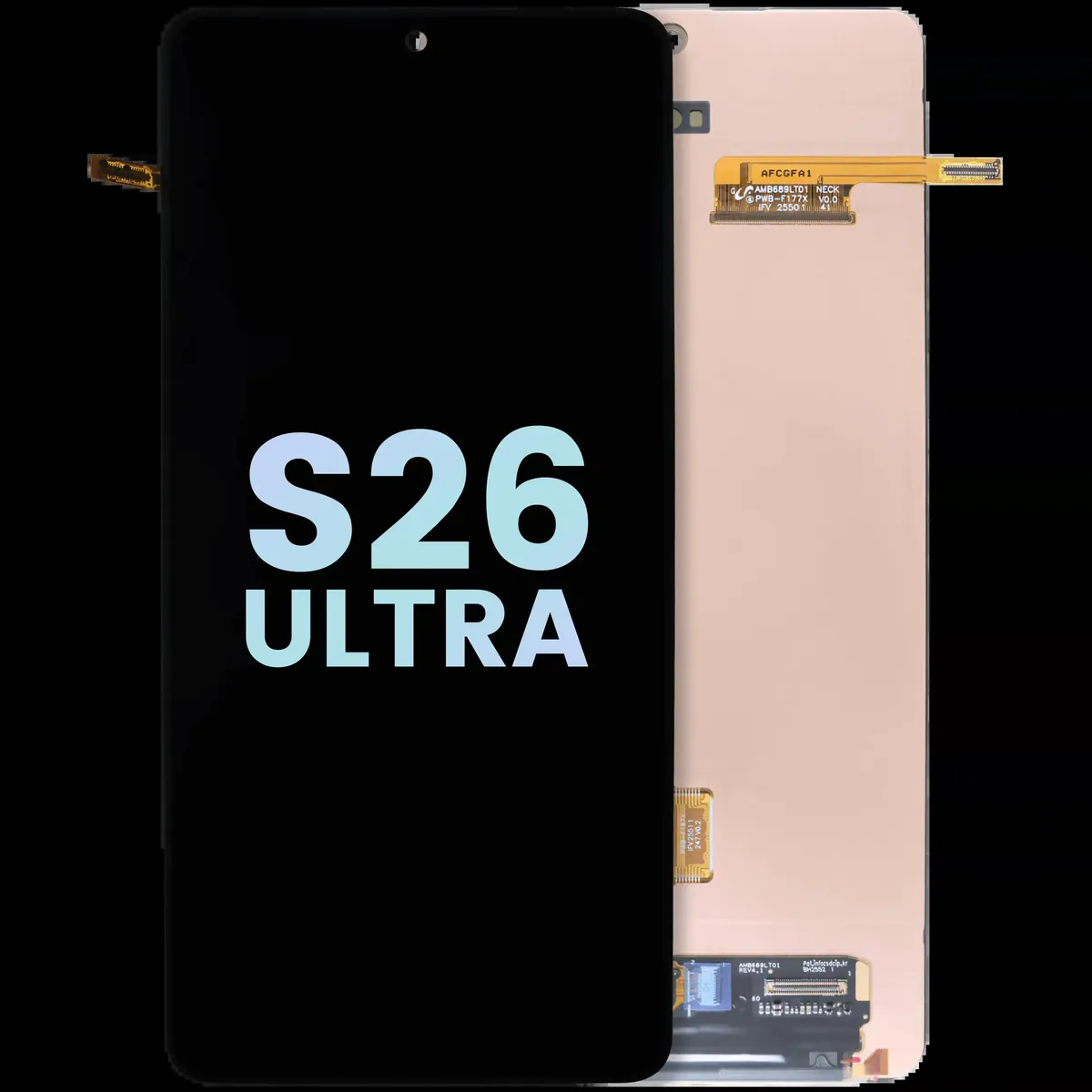
If you need the Galaxy S26 Ultra display, contact us through our Contact page for price and availability.
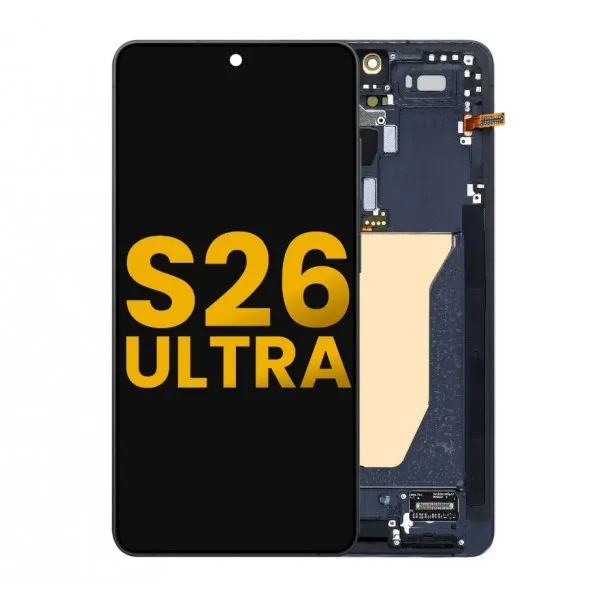
What the compatibility finder says — honestly
As of this draft, Galaxy S26 Ultra shows NO compatible models on the finder — and on current evidence, that blank is correct:
- NOT compatible: Galaxy S25 Ultra. This is the trap on this phone. Both phones are 6.9 inches with the same 1440 x 3120 resolution, so a seller listing can easily group them — but the S26 Ultra panel is a different part: it carries the new Privacy Display layer, the body is a different size (163.6 x 78.1 x 7.9 mm against the S25 Ultra's 162.8 x 77.6 x 8.2 mm), the camera island is a different shape, and no shared service-pack display listing exists for the two. Do not fit an S25 Ultra display in an S26 Ultra, or the other way round.
- NOT compatible: Galaxy S26 and Galaxy S26+. They are the same generation but smaller phones — 6.3-inch and 6.7-inch panels against the Ultra's 6.9-inch panel. Same family, different screens.
- Battery is NOT shared with the S25 Ultra. The S26 Ultra battery is EB-BS948ABE; the S25 Ultra battery is a different part (EB-BS938ABY). Do not mix them.
- No shared display is confirmed for any model yet. The S26 Ultra panel is only months old, and no joint service-pack listing with another model has been found. If a future model is confirmed to share this display, the finder — and this article — should be updated together, with the same (verify) honesty the site uses elsewhere.
That blank on the finder today is exactly why this section matters: before ordering an S26 Ultra panel, search the exact model on mobilelcdled.com and check the compatibility list, rather than trusting a seller listing that groups every "S Ultra" model together.
Full parts details
1. Battery — EB-BS948ABE, 5000 mAh
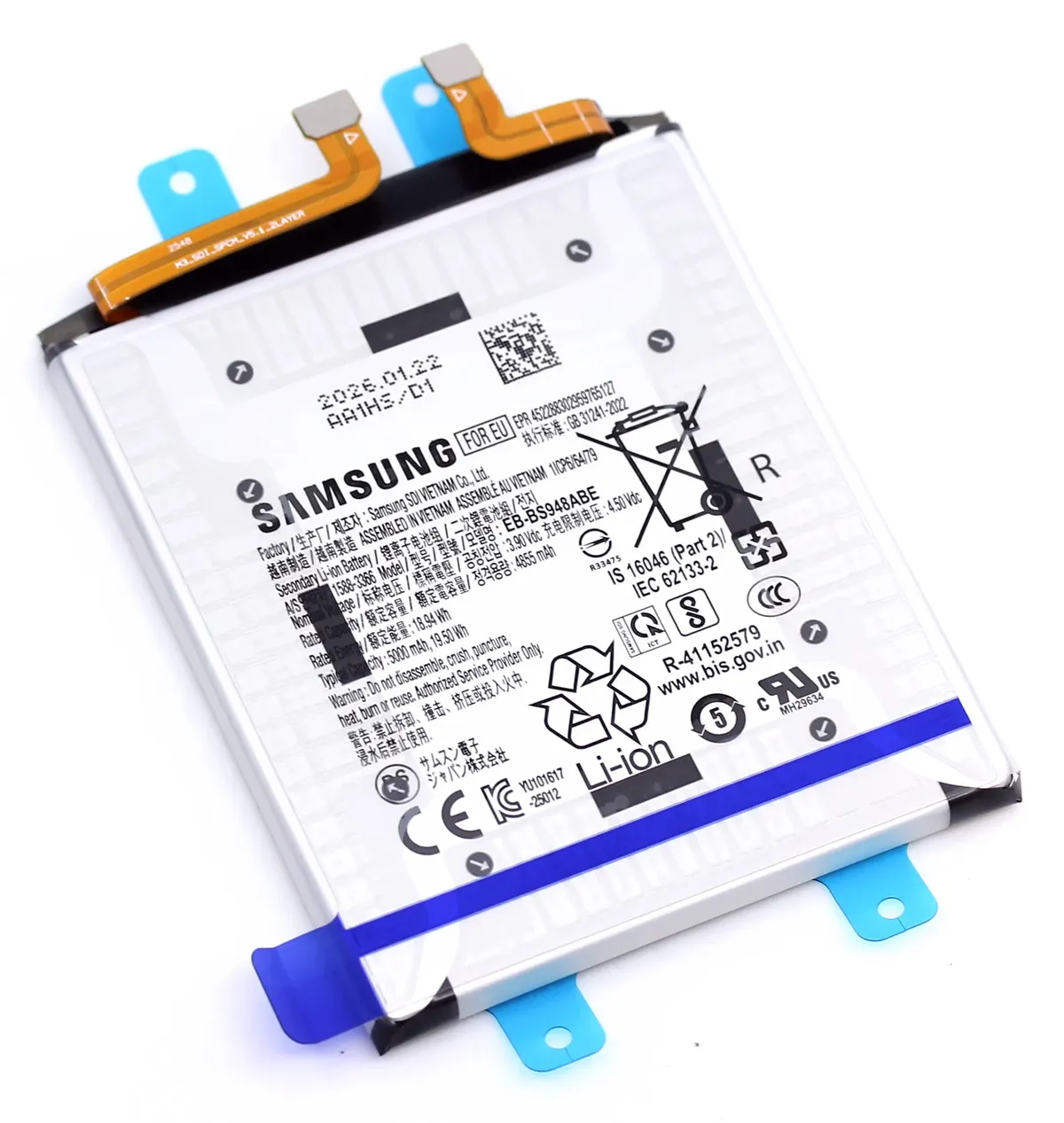
- Part number: EB-BS948ABE (printed on the battery label; service pack GH82-38878A)
- Capacity: 5000 mAh typical, 4855 mAh rated, 19.50 Wh typical / 18.94 Wh rated
- Voltage: 3.90 V nominal, Li-ion
- Charging: 60W wired fast charging; 25W wireless charging (Qi2.2); 4.5W reverse wireless
- Fitting note: this phone has a pull-tab battery release — once the back panel is off, the battery slides out without fighting heavy adhesive. That is the easiest repair on this phone, and the one the teardown reviewers praised most.
- Signs it needs replacing: phone swelling, battery draining fast, phone switching off at 20–30%, or not holding charge after a full charge
- Warning: a swollen battery must not be punctured or bent — replace it, do not keep using it.
- Note: one aftermarket listing shows the number EB-BS948ABY for this phone — match the printed label on the old battery before ordering, because the ABE label is the one photographed on the original part.
If you need the Galaxy S26 Ultra battery, contact us through our Contact page for price and availability.
2. Charging flex / charging board (sub board)
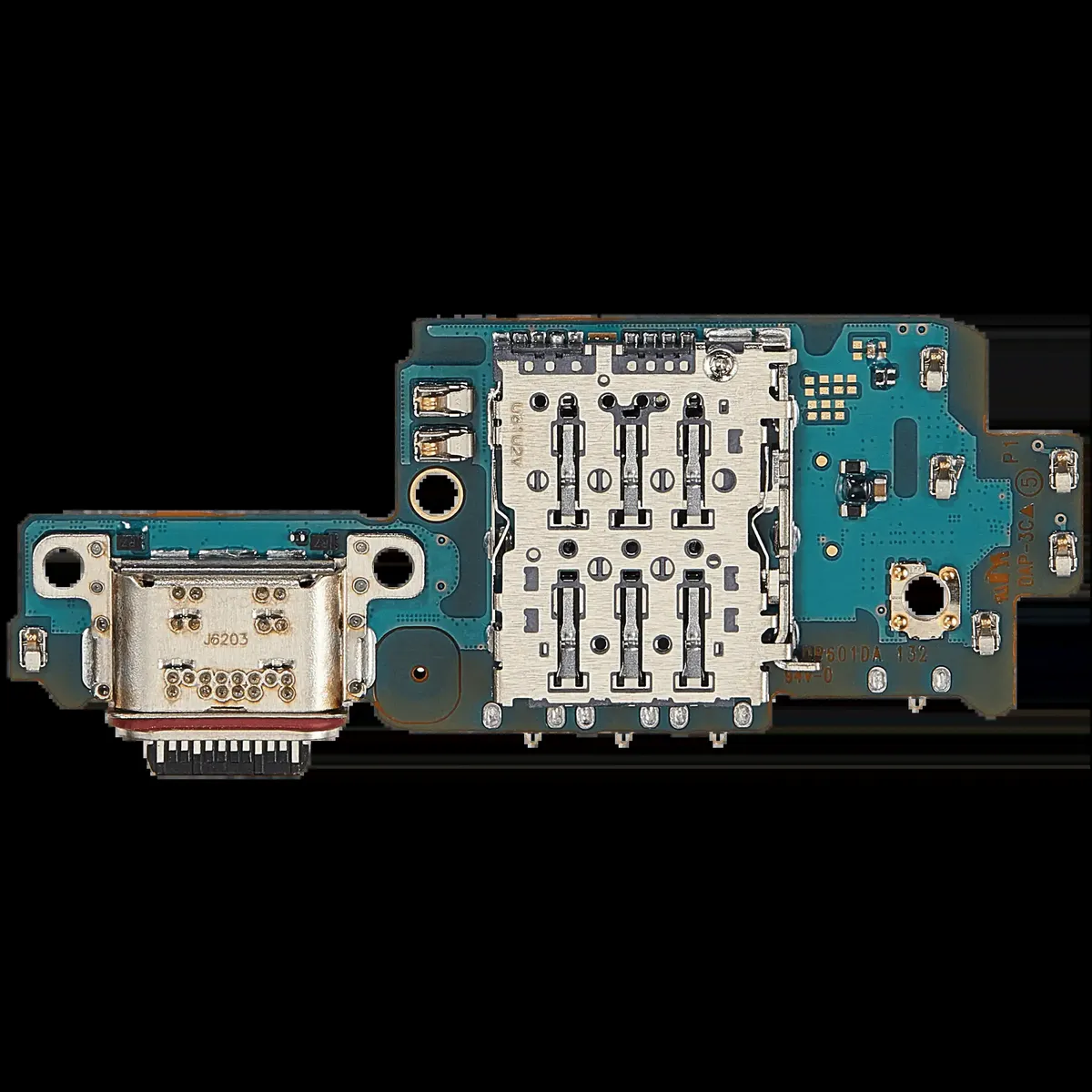
- What it is: the small board at the bottom of the phone carrying the USB-C charging port and the SIM tray slots. It connects to the main board through the long interconnect flex (see section 5).
- Service pack: listed as GH96-20819A for the SM-S948B version (parts-listing evidence only)
- Region warning: charging boards are sold separately for the S948B (international), S948U (US), S948O (dual card) and S948N (Korean) versions — order by the exact model number, because the SIM reader layout differs between them
- Signs it is faulty: phone not charging, charging only at one cable angle, loose USB-C port, microphone not working on calls, or 60W fast charging never kicking in even with the right charger
- Fitting note: the USB-C port on this phone is held in by screws and is one of the easiest parts to replace — a genuine improvement over older glued-in ports
If you need the Galaxy S26 Ultra charging flex, contact us through our Contact page for price and availability.
3. On / off strip — power button + volume flex (side key flex)
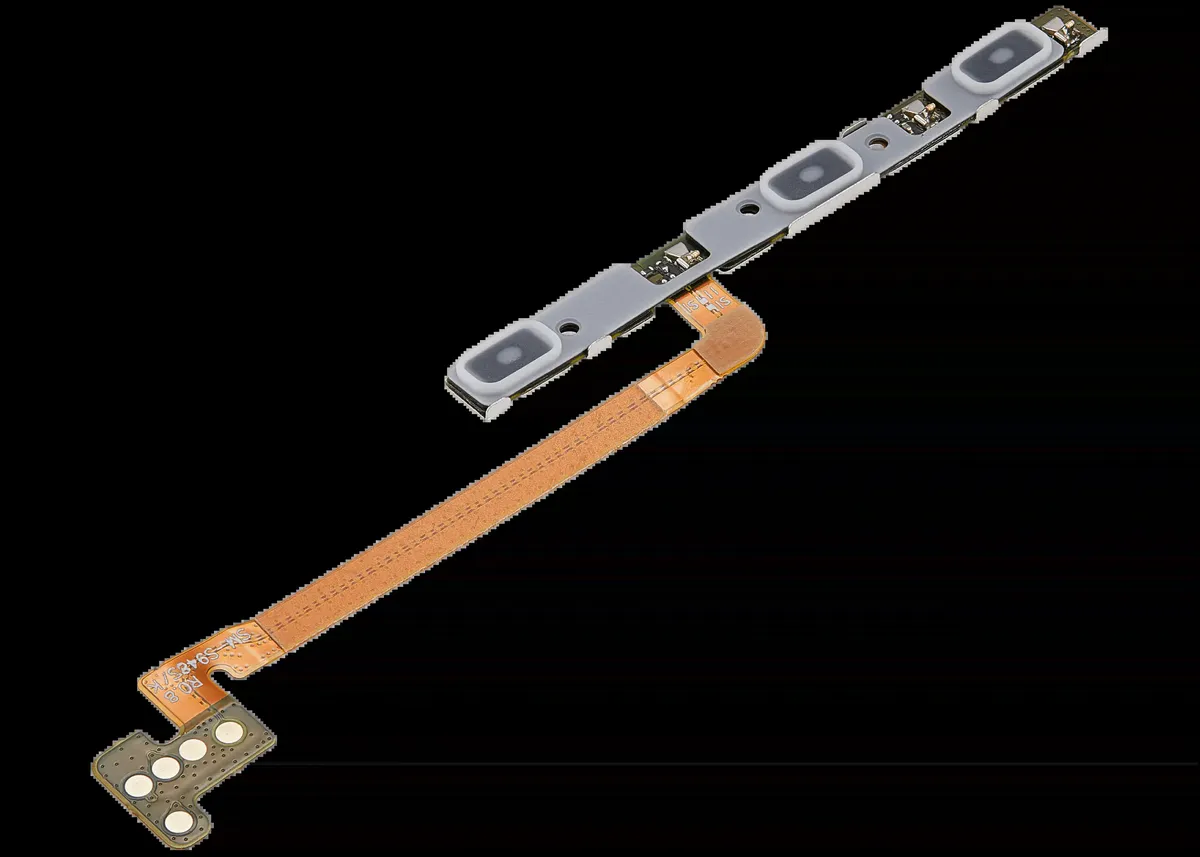
- What it is: one long flex strip carrying both the power (on/off) button and the volume up/down buttons, with the long flex tail that runs to the main board.
- Printed marking: SM-S948B/K on the flex tail — the quickest check that a flex is for this phone
- Signs it is faulty: power button not working, volume button stuck or double-pressing, or the phone restarting when a button is pressed
- Fitting note: this is a long, thin flex — it tears easily if pulled at an angle. The buttons themselves were called some of the easiest in the business to remove in the teardown, but the flex still needs a careful hand.
If you need the Galaxy S26 Ultra power button flex, contact us through our Contact page for price and availability.
4. Main board (motherboard)
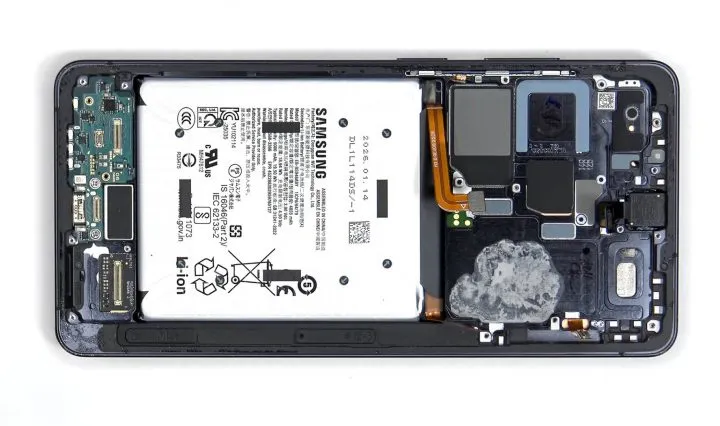
- Processor: Qualcomm Snapdragon 8 Elite Gen 5 (3 nm)
- Memory: 12 GB / 16 GB RAM; storage 256 GB / 512 GB / 1 TB (no microSD slot)
- Board design: the teardown shows a PCB sandwich design housing the Snapdragon 8 Elite Gen 5 chip with the 5G modem, and the camera modules connect to the board from underneath — so a camera swap means taking the whole board out first
- The board carries the cameras, SIM/eSIM, 5G, Wi-Fi 7, Bluetooth 6.0 and the display/battery/charging connectors — so a board fault can look like a display, charging or network fault. Check the flexes and connectors first; they are cheaper than a board.
- Board-level repairs (no signal, no power, water damage) need a specialist — a board swap also changes the phone's identity, so data and IMEI checks matter before ordering one.
If you need the Galaxy S26 Ultra main board, contact us through our Contact page for price and availability.
5. Long flex (interconnect flex) and LCD flex — do not mix them up
- Long interconnect flex: the long flex that runs between the main board (top) and the charging sub board (bottom). It carries charging, USB data and antenna signals. If it is damaged, the phone may stop charging, lose signal, or show a dead microphone — even though the charging board itself is fine.
- LCD flex: the short flex on the back of the display itself. It carries the picture and touch signals from the display to the main board. A torn LCD flex means lines, no touch, or a black screen, and it usually means replacing the whole display assembly, not just the flex.
- Rule for ordering: "long flex" = board-to-charging-board flex; "LCD flex" = the flex attached to the screen. Sellers sometimes list them under each other's names, so match the picture, not just the title.
- Part number note: mainboard flex and LCD flex cables are both sold for this phone, but no part number was verified for this draft, so none is printed here — do not order by a guessed number.
If you need the Galaxy S26 Ultra long flex or display flex, contact us through our Contact page for price and availability.
6. Body details — frame, back glass, size and weight
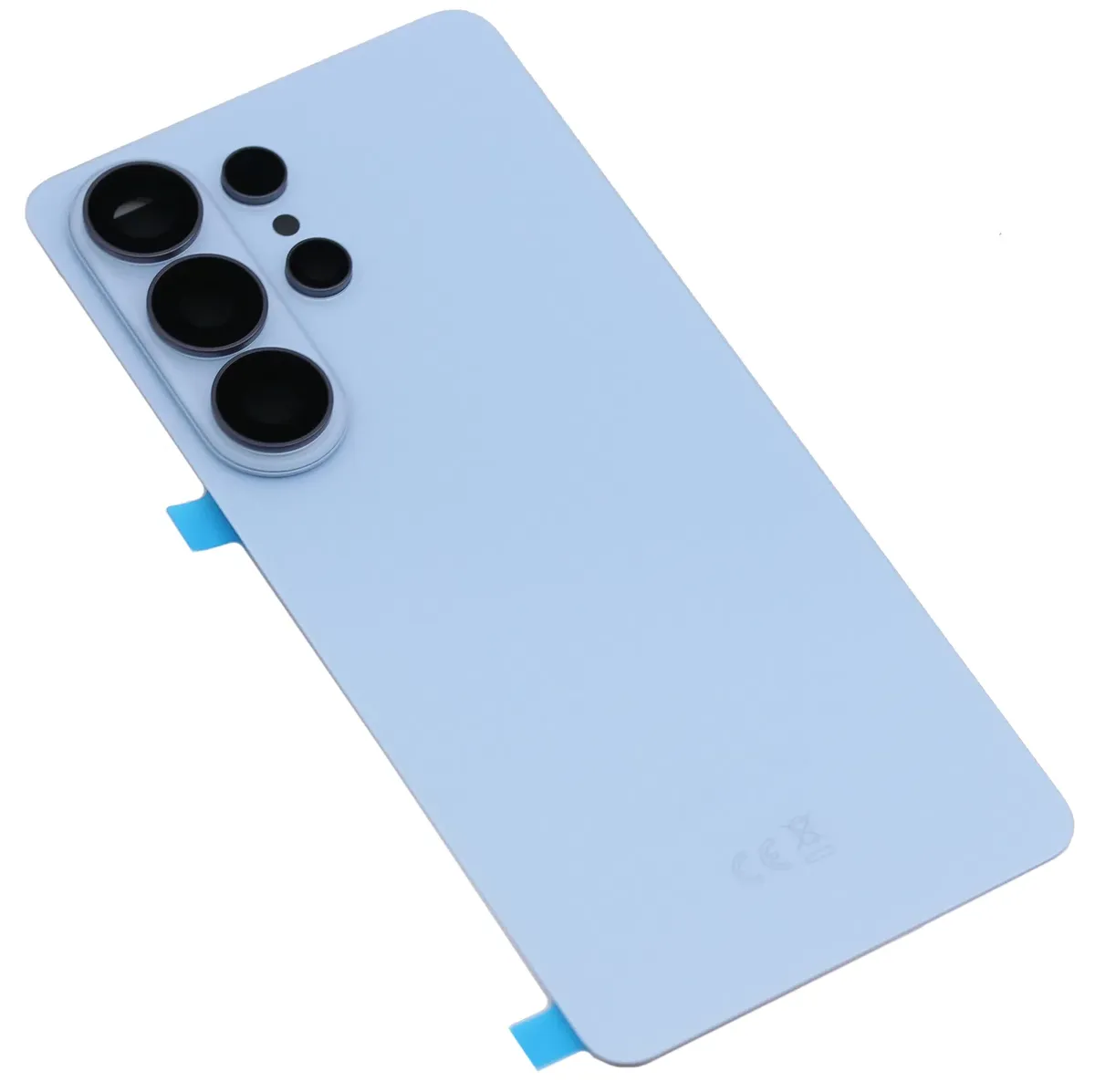
- Size: 163.6 x 78.1 x 7.9 mm; weight: 214 g — the slimmest and lightest Galaxy S Ultra yet
- Frame: Armor Aluminum 2 — note this carefully, because the S25 Ultra used a titanium frame and this phone does not. Samsung says aluminum's elasticity absorbs shock better and made the thinner, lighter body possible; either way, a frame part must be ordered for the S26 Ultra, not for an older Ultra.
- Front glass: Corning Gorilla Armor 2 with DX anti-reflective coating; back: Gorilla Glass Victus 2
- Water resistance: IP68 (dust-tight, up to 1.5 m fresh water for 30 minutes) — this rating is lost once the phone has been opened unless new adhesive seals are fitted
- Colours: Cobalt Violet, Sky Blue, Black, White, Silver Shadow, Pink Gold
- Back cover: sold as a service pack by colour — GH82-38884A (Black), GH82-38884B (light blue), GH82-38884F (Silver) are the numbers found in parts listings
- Camera island: the four rear lenses sit on one translucent ambient island that flows into the body — the quickest visual check that a phone (or a back glass) is an S26 Ultra and not an S25 Ultra, whose lenses sit in separate rings
- Repairability warning: the display is the hardest part on this phone. Its connector can only be reached from the back, so a cracked screen means disassembling the whole phone first — and the Privacy Display layer makes the panel itself fragile during removal. The teardown score for this phone is 5 out of 10, the same as the S25 Ultra.
If you need the Galaxy S26 Ultra back glass or body parts, contact us through our Contact page for price and availability.
Why this matters for repair
- Flagship AMOLED panels with a Privacy Display layer are the most expensive and most fragile part on this phone, so a wrong fitment is a costly return. The S26 Ultra's 6.9-inch panel, ultrasonic under-display fingerprint sensor and 60W charging mean the replacement must be the exact SM-S948 panel — not an S25 Ultra panel that merely shares the same size.
- Check the part number on every part before fitting: battery EB-BS948ABE; charging board listed as GH96-20819A (S948B version); side-key flex printed SM-S948B/K; back cover GH82-38884A/B/F by colour.
- If a future model is confirmed to share this display, the finder — and this article — should be updated together, with the same (verify) honesty the site uses elsewhere.
Next articles in the same series (from the most-searched list)
iPhone 17, iPhone 17 Pro, Galaxy A07 4G, Galaxy A17 5G, Galaxy A17 4G, iPhone 16, Xiaomi Redmi A5, Xiaomi 15T Pro, Tecno Spark 40.